
Your course, right beside the video you're watching.
CoursifyYT organizes an entire channel into a clean, ordered course that lives right in YouTube's sidebar as you watch — it even marks where the current video fits, so you always know what's next. Every video comes with a timestamped Overview and its full transcript, one click away. Prefer a popup? That's there too. Start free with no API key — or add your own AI key for unlimited use.
You are here
Calculus › Rate of change
$0
Free to start — no API key
100s
Videos sorted automatically
MD · JSON · PDF · DOC
Export your course
A distracting feed becomes a focused course
No more endless suggestions. The same page, reorganized into a syllabus you can follow.
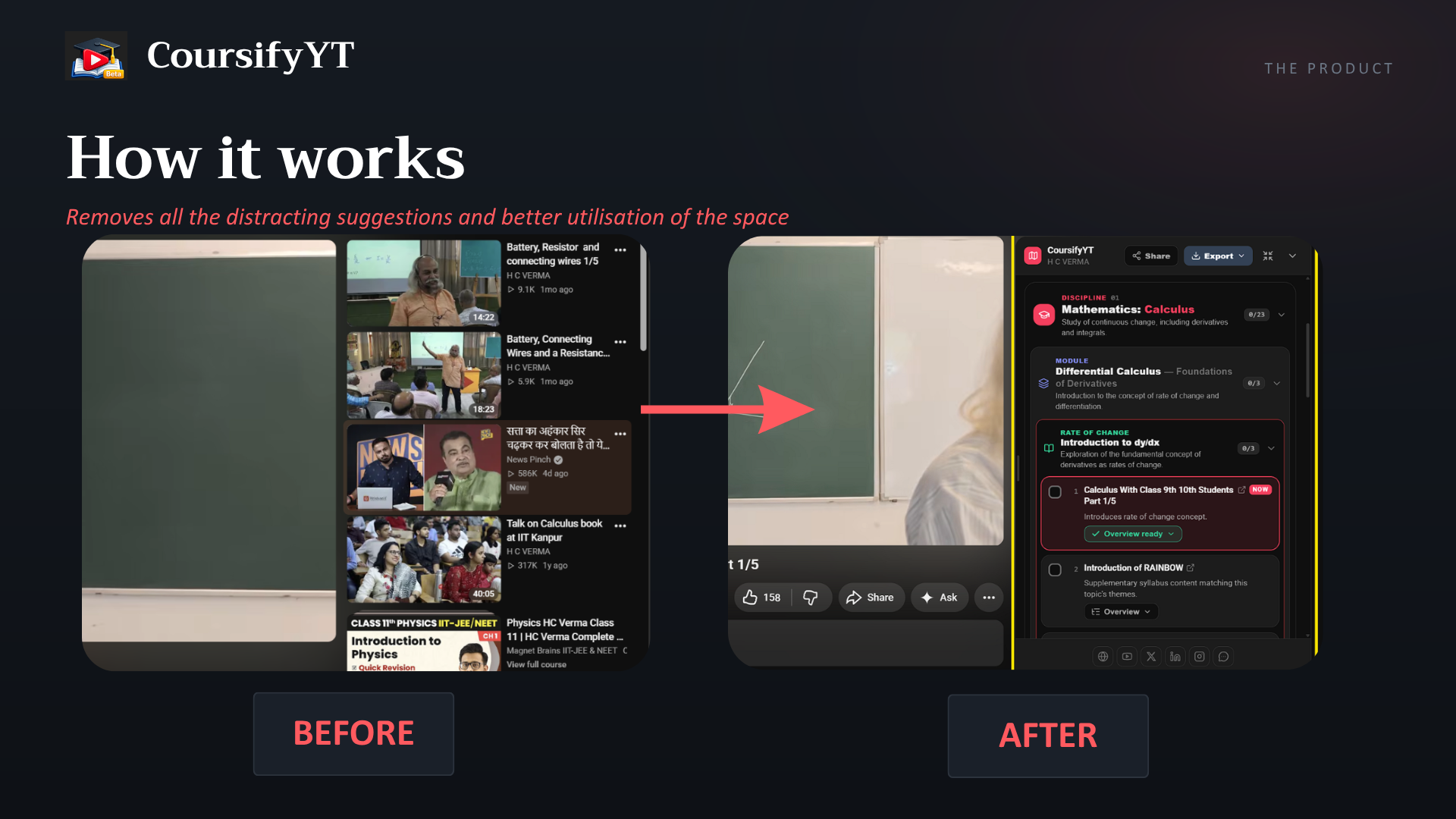
From a wall of videos to a real curriculum
Paste a link and go — free with no API key, or fully in your browser with your own.
Lives inside YouTube
Your course docks in the sidebar as you watch — with a “You are here” marker, tick-off progress, and autoplay that follows your curriculum, not YouTube's suggestions. No popup required.
Crawl the whole channel
Point us at any public channel URL or @handle. We pull its entire uploads catalog via the YouTube Data API — not just the first page.
Per-video AI Overviews
Open any video for a timestamped, chapter-by-chapter breakdown of what it covers — built from the video's own captions, so the timestamps actually land. Jump straight to the part you need.
Transcripts, free and unlimited
Read, search and export any video's captions — txt, SRT, Markdown or JSON — or pull a whole course in one batch. No key, no quota, no AI involved.
Useful before you build anything
Open any video on any channel and the panel is already there with a “This video” card — its Overview and its full transcript, no course required. Coursify the channel later and that work is already waiting on the video's row.
Your courses on the feed
A row of course chips sits under YouTube's own filters on the home and Subscriptions feeds — with live progress, pinning, and a one-click way to coursify a channel you already follow.
Organize with AI
Your choice of Mistral, OpenAI, or Gemini groups and orders the videos into a progressive, beginner-friendly curriculum with concept stages.
Visual bento course maps
Get a clean, scannable map of concept groups and featured tracks — a syllabus you can actually follow.
Export anywhere
Download your course as a Markdown checklist, raw JSON, or a clean, print-ready PDF / DOC — with your checkboxes, progress, and clickable video links.
Progress that follows you
Videos tick themselves off at 80% watched, and every surface — sidebar, popup, feed bar — shares the same progress. Past courses are saved locally, ready when you come back.
Stays up to date
When a channel posts new uploads, CoursifyYT flags it and folds the new videos into your existing course — no full re-crawl needed.
Private by design
No accounts, no tracking. Your API keys and progress stay in your browser and are sent only to the AI provider you choose.
Three steps to your course
Open a channel, hit the 'Make Course' button
On any YouTube channel — for whatever you want to master — click the CoursifyYT button that appears right on the page. No setup, no paste.
We build the course
We crawl every upload and let AI structure them into ordered concept groups, beginner to advanced — Shorts filtered out.
Learn it in the sidebar
Open any video and your course is right there beside it — follow it lesson by lesson, open a transcript or timestamped Overview, and tick off what you watch. Back on your feed, a chip row keeps every course one click away.
Every feature, explained
Short, practical pages — what a feature does, how to use it, and where its limits are.
Getting started
Where you use it
Features
See it in action
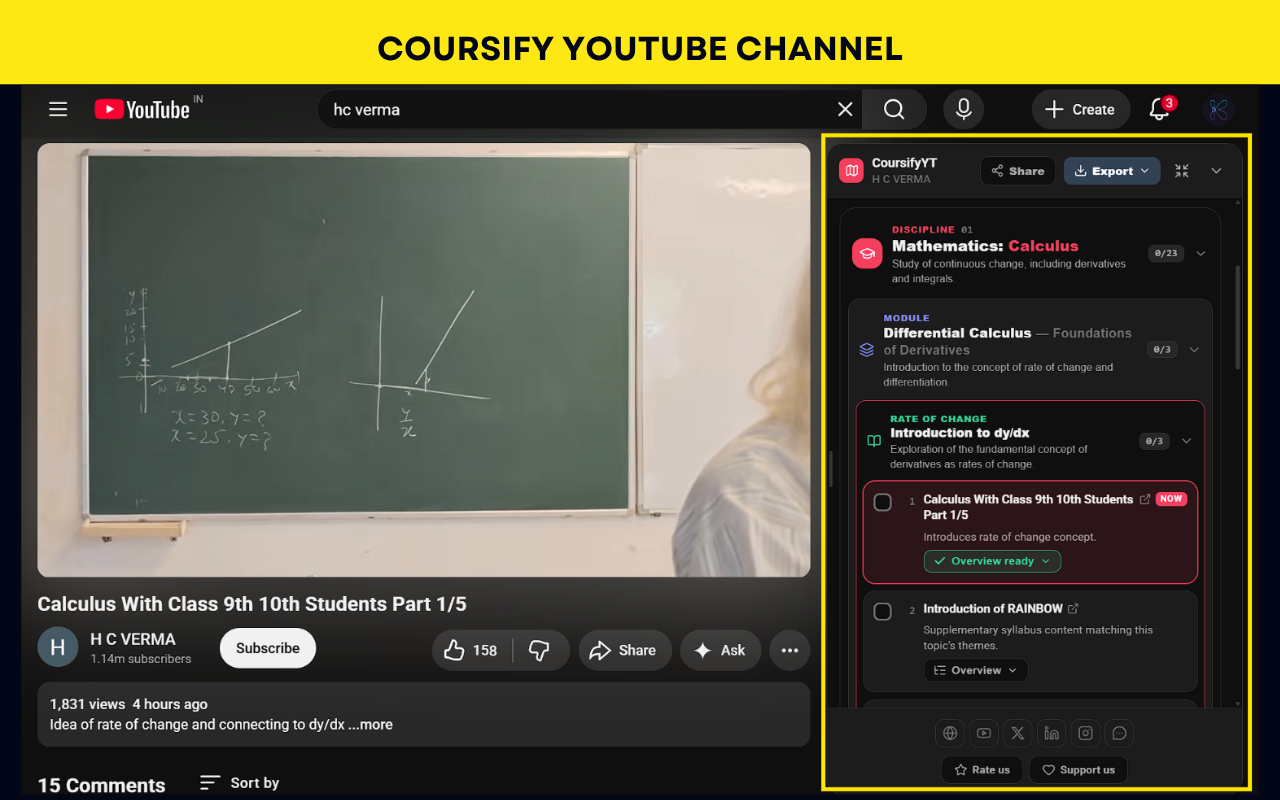
A full course, right on the video page
The roadmap lives in YouTube's sidebar — disciplines, modules and topics, with a “You are here” marker on the video you're watching.
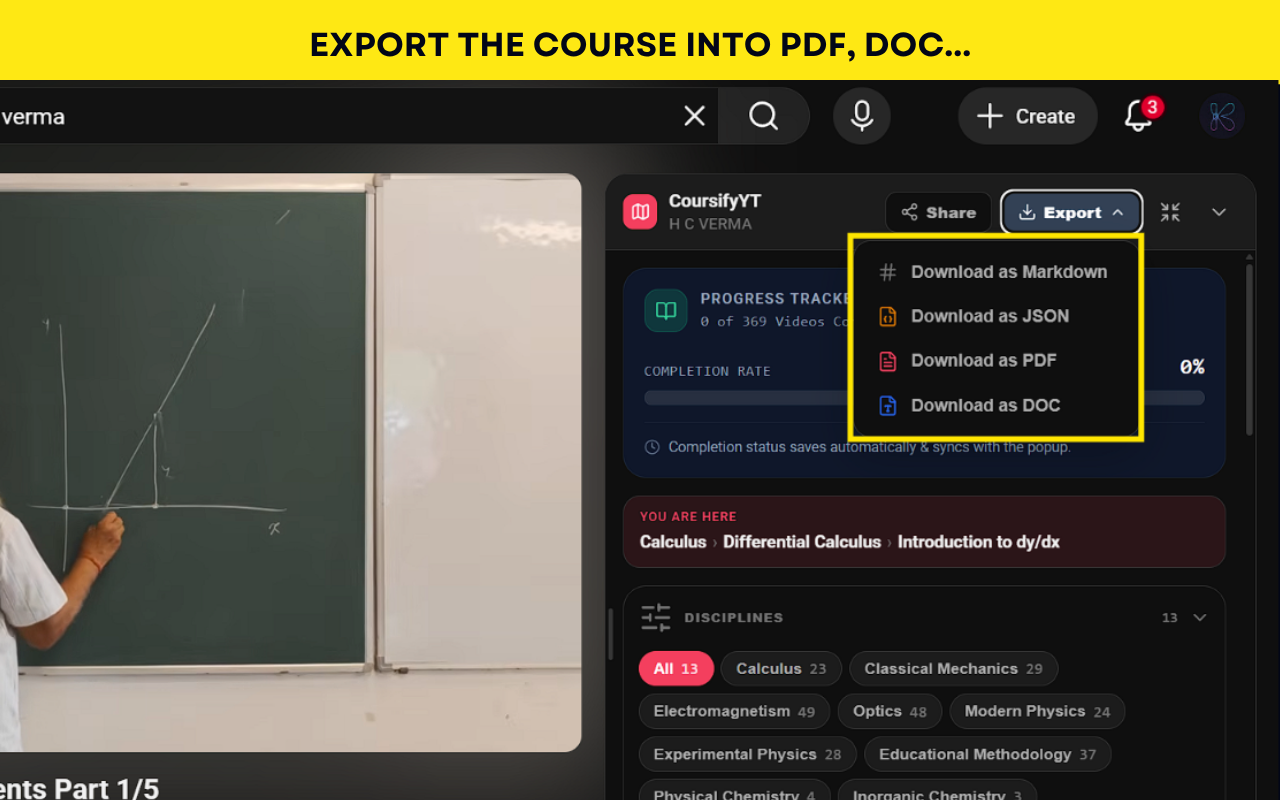
Export the whole course
Download your curriculum as Markdown, JSON, PDF or DOC — checkboxes and progress included.
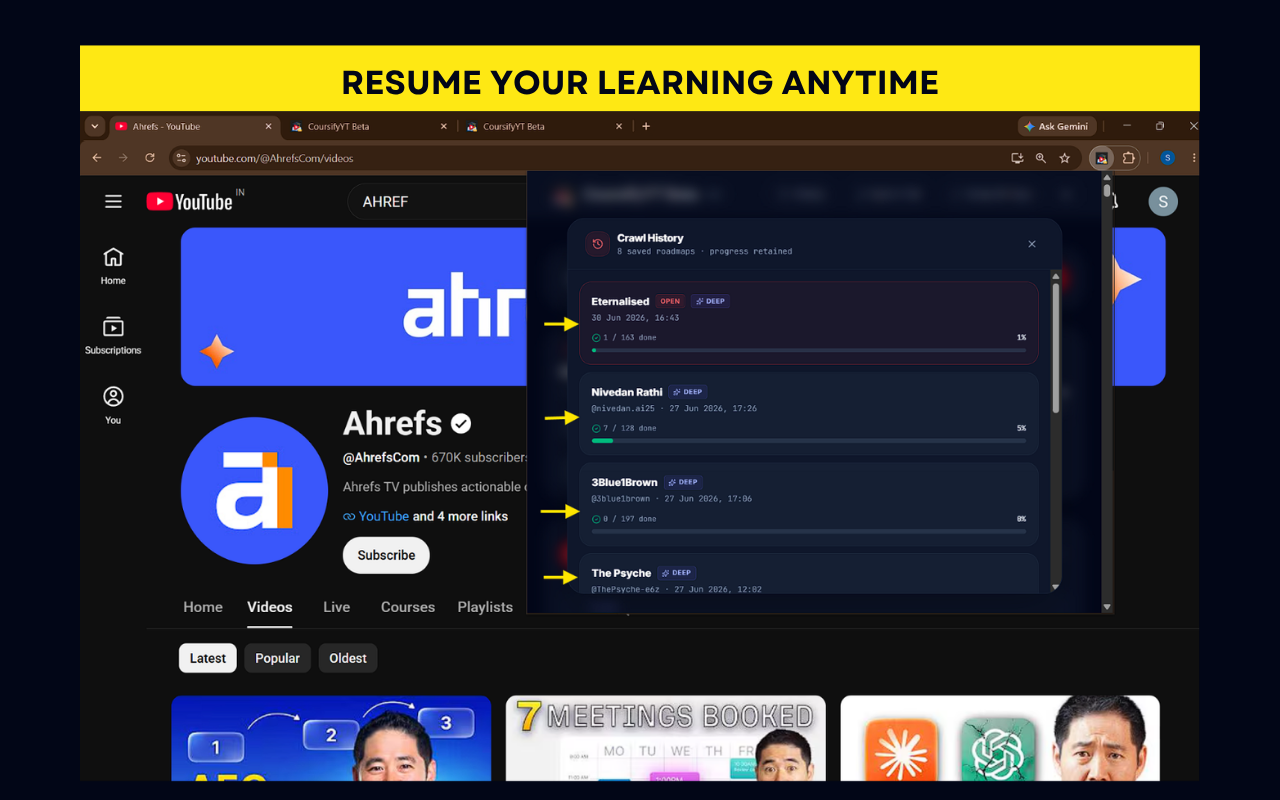
Resume any roadmap, anytime
Every channel you crawl is saved with its progress, ready to pick back up where you left off.
Start learning with intent.
Install CoursifyYT and turn your favorite channel into a course in under a minute.